Fixed Assets Register Tool
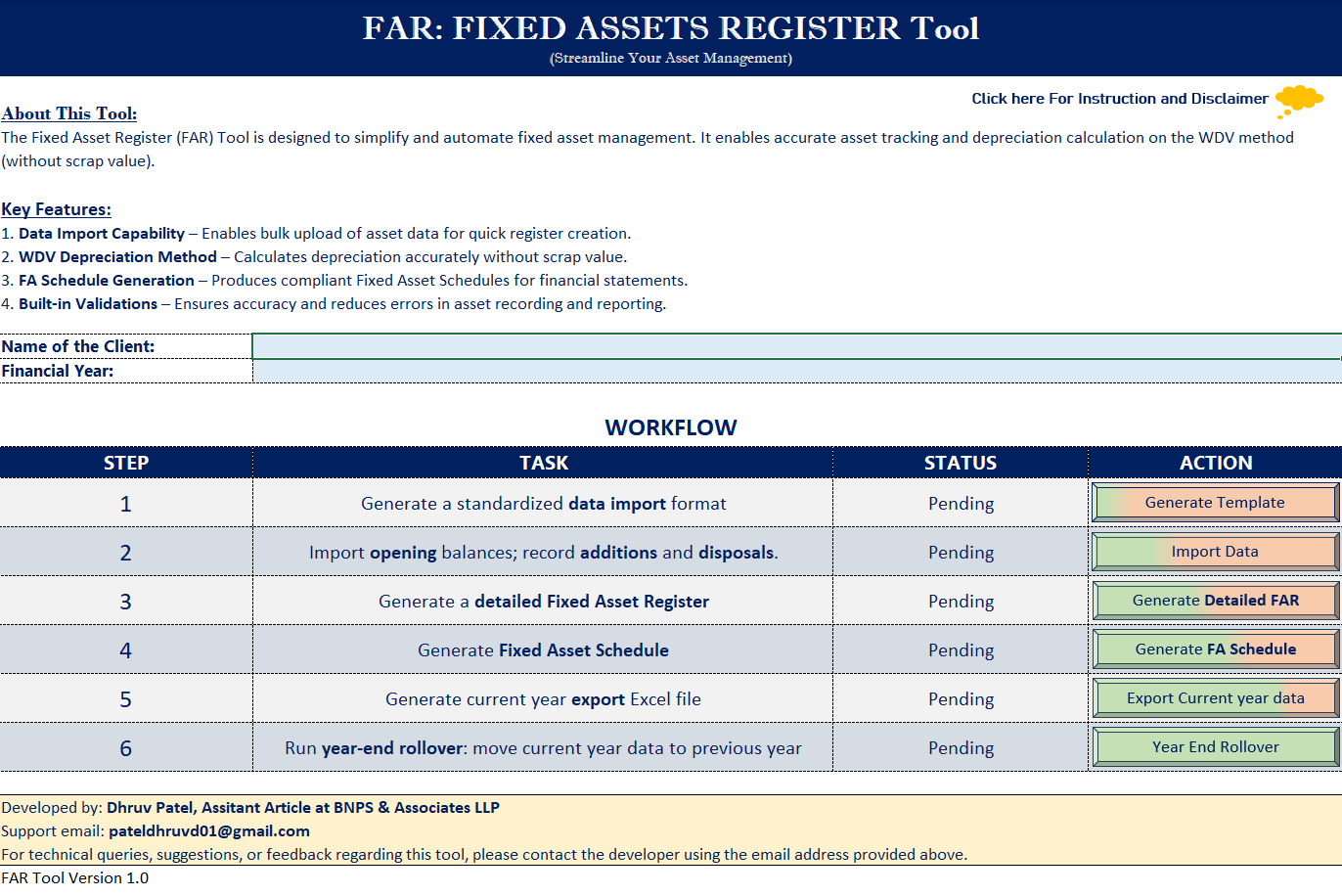
Excel-based automation solution designed to help CA professionals maintain and prepare fixed asset schedules with ease and accuracy.
Excel Based Tool
Powerful automation with familiar Excel interface
About This Tool
This Fixed Assets Register is an Excel-based solution that simplifies asset tracking and depreciation computation for Chartered Accountants and finance professionals.
Step-by-Step Workflow
Guided workflow for accurate asset tracking and depreciation computation.
WDV Depreciation Logic
Implemented without scrap value, aligning with standard accounting practices.
ICAI Guidelines
Generates Fixed Assets Schedule as suggested in ICAI Guidelines.
Year-End Rollover
Automated continuous process with year-end rollover feature.
🎁 Bonus Tool Included!
Having queries for Conversion from Income Tax depreciation to Companies Act Depreciation (in the Books)? Here is the solution......
The WDV24 tool is included for effortless conversion for FY 2024–25. Start by generating the opening data using the WDV24 tool, which allows you to export the data that can then be imported into FAR_Tool_V_1.0.
Tool Preview
Download the Tools
Click below to access Google Drive where both tools are stored. You can easily download them.
📦 Package Includes:
-
FAR_Tool_V_1.0.xlsb Main Fixed Assets Register Tool
-
WDV24.xlsb Conversion tool for IT to Companies Act depreciation
Make sure macros are enabled and the file is in a trusted location.
Quick Setup Checklist:
1. Enable Macros
Click "Enable Content" in the yellow bar when opening the file.
2. Set Trusted Location (one-time setup)
• Go to File → Options → Trust Center → Trust Center Settings → Trusted
Locations
• Click "Add new location"
• Browse to the folder where your tool is saved
• Confirm the selection
3. Reopen the File
Close and reopen the workbook from the trusted folder.